
 Adam Smith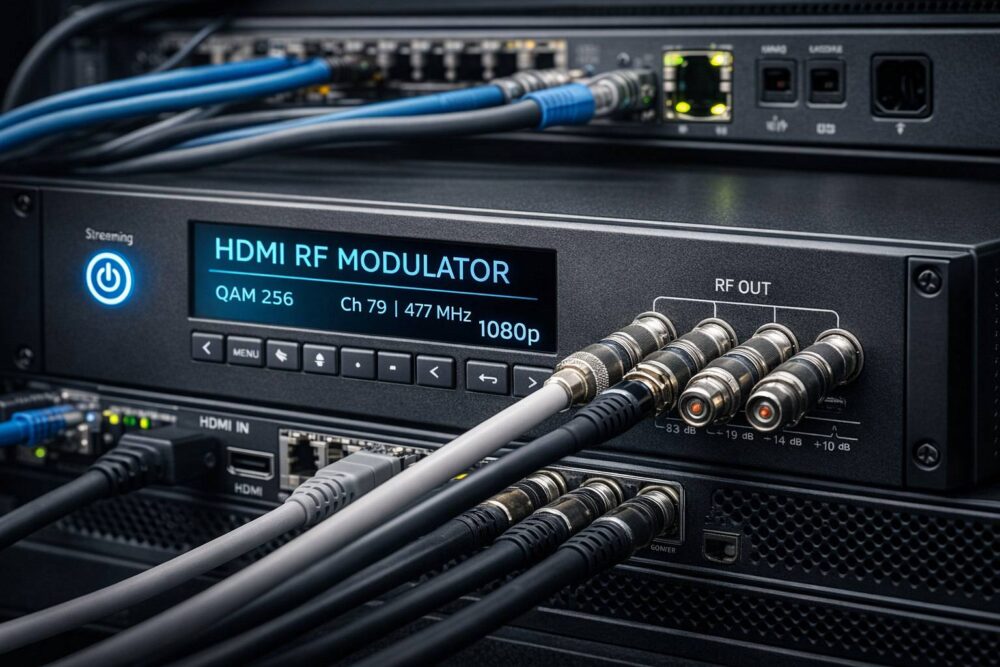
An HDMI RF modulator is a device that converts a modern HDMI video source-like a cable/satellite box, media player, camera, PC, or digital signage player-into a radio-frequency (RF) TV channel that can be distributed over coaxial cable and viewed on standard televisions. Think of it as a translator between two worlds: – HDMI: point-to-point digital video meant for one display (or an HDMI matrix). – RF (Coax TV distribution): a broadcast-style method where one signal can be sent to dozens or hundreds of TVs through an existing coax network. If you’ve ever wondered how hotels feed the same in-house channel to every room, or how a facility can put a single HDMI source on “Channel 27” across an entire building-this is the job of an HDMI RF modulator.
What Is an HDMI RF Modulator?
An HDMI RF modulator is a device that converts a modern HDMI video source-like a cable/satellite box, media player, camera, PC, or digital signage player-into a radio-frequency (RF) TV channel that can be distributed over coaxial cable and viewed on standard televisions.
Think of it as a translator between two worlds:
-
HDMI: point-to-point digital video meant for one display (or an HDMI matrix).
-
RF (Coax TV distribution): a broadcast-style method where one signal can be sent to dozens or hundreds of TVs through an existing coax network.
If you’ve ever wondered how hotels feed the same in-house channel to every room, or how a facility can put a single HDMI source on “Channel 27” across an entire building-this is the job of an HDMI RF modulator.
The Simple Explanation: HDMI In → TV Channel Out
At its core, an HDMI RF modulator does three things:
-
Accepts an HDMI input
-
Encodes the audio/video into a digital TV format (or sometimes an analog format on legacy units)
-
Modulates that content onto an RF carrier so it becomes a tunable channel on the coax system
Once modulated, the output can be combined with other channels and distributed through splitters, taps, and amplifiers-just like traditional cable TV inside a building.
Why Use RF Modulation in 2026?
With IPTV and streaming everywhere, you might ask: why keep coax distribution alive?
Because coax TV plants are still extremely common in:
-
Hotels and resorts
-
Multi-dwelling units (MDUs): apartments, condos, assisted living
-
Campuses and institutional buildings
-
Sports bars and large venues
-
Industrial facilities with legacy TV wiring
In many of these places, the coax infrastructure is already installed, tested, and reaches every room. An HDMI RF modulator lets you add modern sources without rewiring the building.
Digital vs. Analog HDMI RF Modulators
Digital (Most common today)
Digital modulators create channels in a digital TV standard such as:
-
ATSC (common in North America for OTA-style digital TV)
-
QAM (common for cable systems; widely used in private cable/hospitality plants)
-
In other regions you’ll see DVB-T/DVB-C/ISDB-T, etc.
Pros
-
Much better picture quality than analog
-
More efficient use of spectrum
-
Works well with modern TVs (especially for QAM/ATSC-compatible tuners)
Cons
-
TVs must support the modulation standard you choose
-
Channel planning is more important (avoid interference)
Analog (Legacy)
Analog modulators convert video into an old-school NTSC/PAL channel.
Pros
-
Works with older TVs and very simple systems
Cons
-
Lower image quality
-
Increasingly unsupported in modern deployments
If you’re building or upgrading a system now, digital is typically the right choice.
ATSC vs. QAM: Which One Is “Right”?
In the U.S., the two big options are ATSC and QAM, and the right answer depends on your TVs and your environment.
QAM (Cable-style)
-
Often used in hotels, campuses, and private coax systems
-
Many commercial/hospitality TVs support Clear QAM
-
Plays nicely in systems that resemble an internal cable headend
ATSC (Broadcast-style)
-
More like over-the-air TV modulation
-
Useful when your TVs reliably tune ATSC channels and you want OTA-like behavior
Important reality check: TV support varies by model and market segment. Some displays handle QAM well, some favor ATSC, and some “consumer smart TVs” can be surprisingly inconsistent-especially with QAM. In pro deployments, integrators often standardize TV models specifically to avoid surprises.
Single-Channel vs. Multi-Channel Modulators
Single-channel HDMI RF modulator
-
One HDMI input → one RF channel
-
Great for one “lobby channel,” one camera feed, one signage channel, or one STB output
Multi-channel (headend-style) modulator
-
Multiple HDMI inputs → multiple RF channels (often in a 1RU rack unit)
-
Better for hotel headends and larger systems where you need many sources
Some systems also combine encoding + multiplexing so multiple programs can be packaged efficiently before modulation.
Where HDMI RF Modulators Shine
1) Hotels & Hospitality “Info Channel”
A hotel can feed a welcome channel, local promotions, emergency messaging, or live events to every room. It’s a classic use case: one HDMI output becomes a dedicated channel on the property’s coax system.
2) Sports Bars & Venues
Want the same source on many TVs without running HDMI extenders everywhere? Modulate it, assign it a channel number, and tune every TV to that channel.
3) Security/Operations Viewing
Facilities sometimes need a camera view or control-room program feed available throughout a building. RF distribution can be robust and simple to operate for non-technical staff (“just go to Channel 12”).
4) Schools, Campuses, and Training Centers
A lecture feed, campus channel, or event stream can be distributed over existing coax. For certain buildings, coax is still the easiest path to every display.
Key Specs and Features to Pay Attention To
Video encoding (H.264 vs. H.265)
Many digital modulators compress HDMI into an MPEG transport stream using H.264 or H.265.
-
H.264: widest compatibility
-
H.265: lower bitrate for similar quality, but requires compatible TVs/decoders
If your TVs are a mixed bag, H.264 is often the safer bet.
Output level and RF controls
Look for adjustable RF output level and good RF filtering. Being able to set power output helps when integrating into existing coax networks with amplifiers and splitters.
Channel planning and frequency agility
The modulator should let you choose:
-
RF channel number/frequency
-
Modulation parameters
-
Symbol rate (for QAM)
-
Constellation (64-QAM vs 256-QAM, etc.)
This matters a lot when you’re inserting channels into an existing lineup.
EAS/EM integration (for some verticals)
Some hospitality and institutional deployments care about emergency messaging integration. Requirements vary.
HDMI compatibility pitfalls (HDCP)
Here’s the big one: HDCP (copy protection). Many HDMI sources-especially consumer streaming devices-output HDCP-protected signals. A professional modulator may refuse the signal or show a blank screen if HDCP is present.
Practical implications:
-
Use sources intended for commercial distribution
-
Plan content workflows accordingly
-
Don’t assume a random HDMI source will always work
RF System Basics: Don’t Ignore the Coax Plant
HDMI RF modulation is only half the story. The coax distribution network must be designed correctly:
-
Proper splitters/taps rated for the frequencies you’re using
-
Amplifiers with the right bandwidth and gain
-
Avoiding overdriving TVs (too hot of a signal can be as bad as too weak)
-
Keeping noise and interference under control
-
Good connectors and termination (75-ohm)
A great modulator feeding a poor coax plant still produces poor results.
HDMI RF Modulator vs. IPTV Encoder: Which Should You Choose?
A quick rule of thumb:
-
Choose an HDMI RF modulator if you already have a coax distribution network and want TVs to tune channels directly.
-
Choose an IPTV HDMI encoder if you want distribution over Ethernet/Wi-Fi, integration with apps/middleware, and flexibility beyond coax.
Many modern sites run hybrid systems: RF for legacy TVs and IPTV for new smart endpoints.
Bottom Line
An HDMI RF modulator is a practical, proven tool for turning any HDMI source into a building-wide TV channel over coax. It’s especially valuable in hospitality and commercial AV, where coax infrastructure is already in place and the simplest user experience is still: “Turn on the TV and select the channel.”
If you’re planning a deployment, the biggest success factors are:
-
picking the right modulation standard (QAM/ATSC),
-
confirming TV compatibility,
-
managing HDCP realities,
-
and treating coax distribution as an RF engineering problem-not just “plug and play.”
For additional technical context, refer to Thor Broadcast’s complete guide for modern AV systems.